
Essentials / GTA VI
How to fast travel in GTA 6 with Paradise Taxi and RydeMe
Fast travel after Gone Fishing with Paradise Taxi, or use RydeMe from Chapter 2. See the phone menus, skip buttons and extra $100 fare.

How fast travel works in GTA 6
After Gone Fishing, use your phone to call Paradise Taxi. You can set a waypoint, get into the car and pay an extra $100 in game to skip the ride. From Chapter 2, you can also book a car with RydeMe. A waypoint tells the driver where to go once you have a ride.
Call a taxi in Chapter 1
- Press Up on the D-pad. Open Contacts → All Contacts → Paradise Taxi.
- Set a destination waypoint on the in-game map. Look for the white car icon when the taxi arrives, then get in. If your minimap is hidden, press Down on the D-pad to bring it up.
- Hold L2 on PS5 or LT on Xbox to open the driver options. Choose Skip Journey ($100) with Triangle on PS5 or Y on Xbox.
- Budget for the regular fare plus $100 if you plan to skip. You can stay in the car for the drive to save the skip fee.
If RydeMe is missing or no driver is available
RydeMe unlocks in Chapter 2. Open it on your phone, mark a destination on the map and accept the fare. The base fare varies by distance. When the driver arrives, get in and use the same Skip Journey prompt. If RydeMe cannot find a driver, call Paradise Taxi from Contacts.
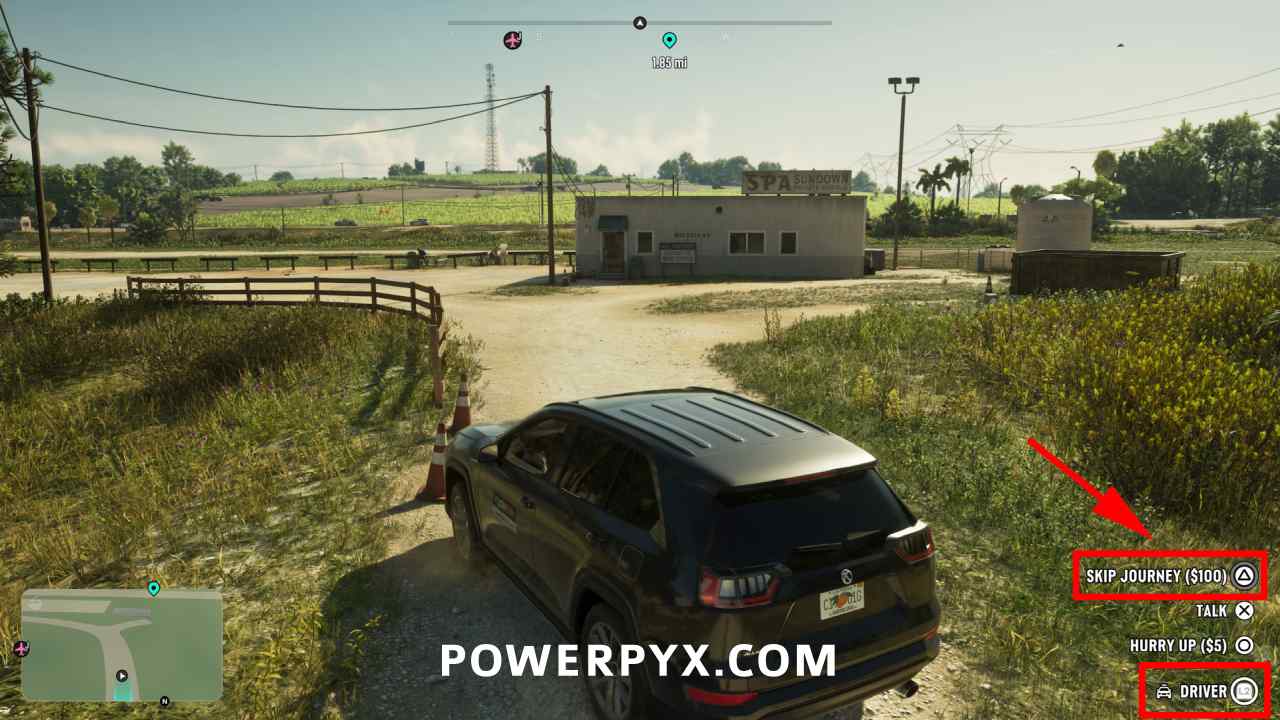
Use it for your first trip out of Key Lento
The taxi can drive to waypoints in areas still covered by exploration fog, according to PowerPyx’s launch walkthrough. After Gone Fishing, you can use it to get close to the first crop duster. Use our airfield guide to find the right runway before you set the waypoint.